
Ahli Bank Qatar is a well-known name in the local banking market, and Ahlibank Qatar account holders often need a quick view of their funds. Anyone searching for Ahli check balance bank information usually wants a reliable Ahlibank balance figure without queuing at a counter. A regular bank balance review supports salary tracking, bill payments, and everyday card spending, and it keeps the Ahli balance and the Ahli account balance easy to manage between pay dates.

The most popular routes include Ahlibank mobile tools, Ahlibank online services, ATMs, and phone support. A basic balance inquiry or balance enquiry works through each channel, although Ahlibank banking options differ in their requirements. App and website checks need internet access, while ATM, telephone, and counter requests do not. This Ahli Bank balance check Qatar guide walks through every method, from a routine Ahlibank Qatar balance check to troubleshooting, so that every Ahlibank account holder can pick the best route.
How to Check Ahli Bank Account Balance in Qatar
Overview of Available Ahli Bank Balance Check Methods
Customers in Qatar can choose from several channels, and each one supports a quick account inquiry. Mobile banking and internet banking both sit under digital banking, while ATM banking and counter service suit people who prefer offline routes. Together with online banking access, these options make balance checking simple, and the main Ahli Bank balance check Qatar methods are designed to display the same account data.
Which Balance Check Method Is Fastest and Most Convenient?
The Ahlibank app is usually the quickest option because Ahlibank login leads straight to the funds overview. The account balance is typically shown first, followed by the available balance and current balance where the product supports them. An Ahlibank ATM ranks next for people who carry only a debit card, while phone support is slower but works without data.
Requirements Before Checking Your Ahli Bank Balance
Digital channels require a working connection and valid login details, card channels need a debit card and PIN, and telephone or counter requests need identity proof. Anyone unsure about eligibility can ask about Ahlibank customer account services before the first attempt.
How to Choose Between Online and Offline Balance Enquiries
| Banking Channel | Best Suited For | Key Benefits | Limitations |
|---|---|---|---|
| Online Banking | Customers who want constant account visibility | Convenient access to account information anytime | Requires a stable internet connection |
| Offline Banking | Customers in areas with weak internet coverage | Access to banking services without relying on internet connectivity | May require visiting an ATM or branch |
| Ahli Bank Qatar Internet Banking Login | Frequent travelers | Can usually be accessed from abroad for balance checks and account management | Requires internet access and secure login credentials |
| Ahlibank Qatar ATMs and Branches | Daily commuters and local customers | Convenient for in-person banking and balance inquiries | Depends on ATM availability and branch operating hours |
Ahli Bank Balance Check Through Mobile Banking App
How to Download the Official Ahlibank Qatar Mobile Banking App
The official Ahlibank mobile banking application can be installed from the standard Android and iOS stores, and the Ahlibank Qatar official website points customers toward the approved download links. The Ahlibank digital banking platform supports the app, so installing only the genuine version keeps Ahlibank mobile account access safe from imitation apps.
Steps to Register and Activate Mobile Banking
The following table outlines the main steps in the Ahlibank mobile app registration process.
| Step | Registration Process | Details |
|---|---|---|
| 1. Download the App | Install Ahlibank Mobile Banking | Download the official Ahlibank Qatar app from Google Play or the Apple App Store. |
| 2. Start Registration | Select the registration option | Open the app and follow the instructions to register for online and mobile banking. |
| 3. Enter Account Details | Provide banking information | Enter your Qatar ID and Ahlibank debit card, credit card, or account number as requested. |
| 4. Verify Your Identity | Complete customer identification | Ensure your identification and banking details match Ahlibank’s records. |
| 5. Complete OTP Verification | Confirm your identity securely | Enter a one-time password (OTP) if prompted during registration. |
| 6. Create Login Credentials | Set up secure banking access | Follow the instructions to establish your Ahlibank banking user ID and password. |
| 7. Activate Mobile Banking | Complete the activation process | Follow any remaining on-screen instructions to enable mobile banking access. |
| 8. Log In Securely | Access your banking account | Sign in using your registered credentials and complete any additional authentication requested. |
Step-by-Step Guide to Checking Your Account Balance in the App
Steps to Check Ahlibank Qatar Account Balance Using the Mobile App
| Step | Action | Details |
|---|---|---|
| 1. Open the Mobile App | Launch the Ahlibank Qatar banking app | Open the official Ahlibank mobile banking application on your smartphone. |
| 2. Log In Securely | Enter your login credentials | Sign in using your registered username and password, or use fingerprint or PIN authentication if enabled and supported. |
| 3. Access Account Overview | Navigate to the account dashboard | After logging in, the Ahlibank banking app account overview displays your linked banking accounts. |
| 4. Select Your Account | Choose the account to check | Tap the relevant savings or current account to view its balance information. |
| 5. Check Account Balance | View your available balance | The Ahlibank account balance display shows your account balance and other available account details. |
| 6. Refresh Balance Information | Check for updated figures | Use the refresh option, if available, to retrieve the latest Ahlibank account balance updates. |
| 7. Log Out Securely | End your banking session | Log out after completing your Ahlibank mobile app balance check, especially when using a shared device. |
How to View Savings and Current Account Balances
Customers with several products can open each account separately. The Ahlibank savings account balance and the Ahli Bank current account balance usually sit under separate tiles, and the Ahli Bank available account balance shows what can be spent right away. A single savings balance or current account screen keeps things clear. Both the Ahlibank savings account and the Ahlibank current account can be opened for an Ahlibank savings balance inquiry or an Ahli Bank current account balance check, and customers can view Ahli Bank savings balance details or see Ahli Bank current balance figures in seconds.
How to Check Recent Transactions and Available Funds
The Ahlibank mobile banking features often include a mini statement style list of recent entries. This transaction history confirms card payments and transfers, and Ahlibank transaction monitoring becomes easier when entries are reviewed regularly. Ahli Bank account activity monitoring may reveal pending items that affect the Ahlibank account balance information on screen. Customers can see Ahlibank available funds and check Ahlibank available balance details before making a large purchase.
What to Do If the Ahli Bank Mobile App Is Not Working
When the app fails, updating it and restarting the phone is the first step. Ahlibank account login troubleshooting usually covers cached data, expired passwords, and unstable networks. Some users also review Ahli Bank mobile banking accessibility settings, and notices about Ahli Bank banking service availability can reveal planned maintenance. If the Ahli Bank Qatar digital banking login still fails, the Ahli Bank Qatar mobile banking balance can be checked through another channel until the app recovers, and an Ahli Bank mobile app account balance request can wait for the next update. Customers can also use Ahlibank account balance through mobile browser access if the bank offers it.
How to Check Ahli Bank Balance Through Internet Banking
How to Access the Official Ahlibank Qatar Internet Banking Portal
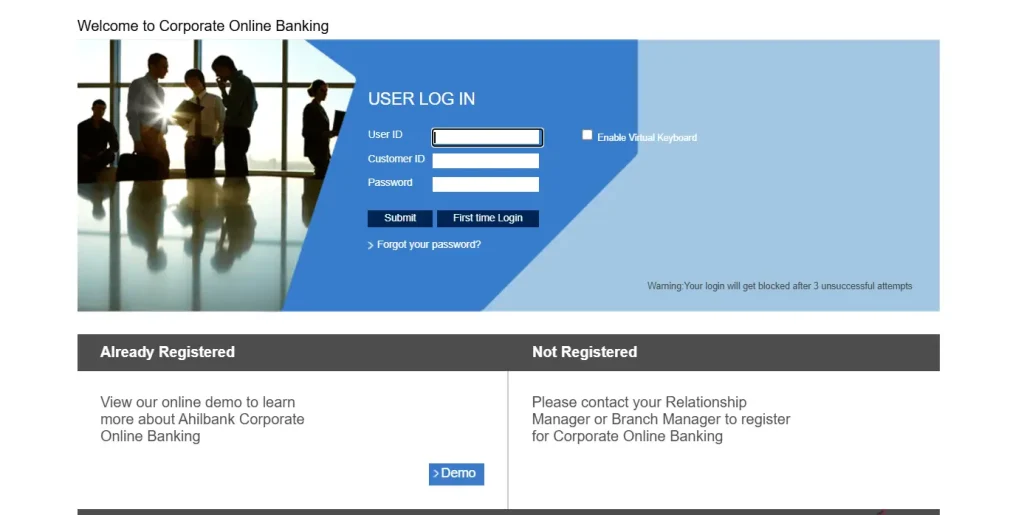
The Ahli Bank online banking portal should be reached only through the address listed on the bank’s official site. A saved bookmark reduces phishing risk, and a secure banking session is usually signaled by a padlock in the browser. The Ahlibank internet banking platform then asks for credentials, and a genuine Ahli Bank secure banking login page uses encryption. This banking portal gives Ahlibank online account access through an online account dashboard.
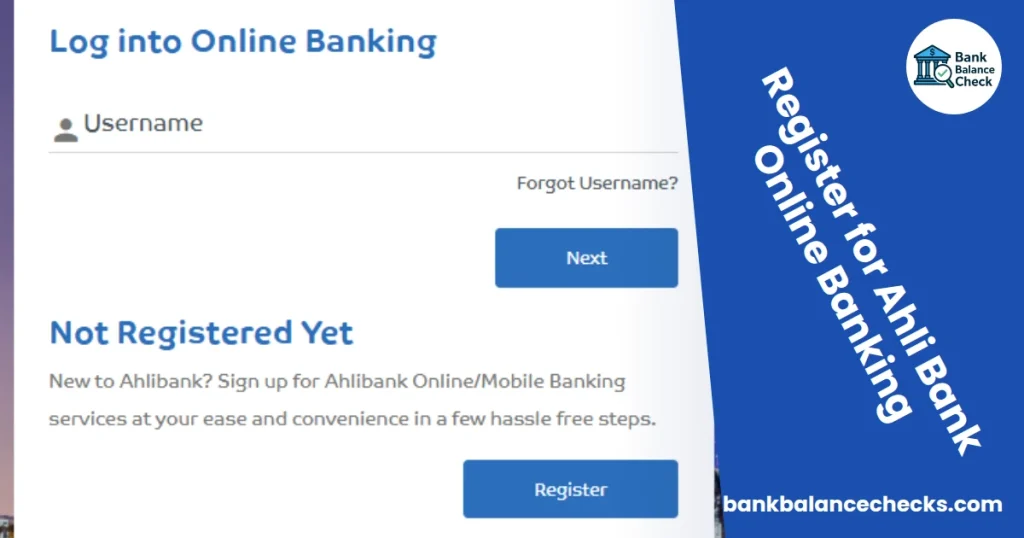
How to Register for Ahli Bank Online Banking
Step-by-Step Instructions to Check Your Balance Online
How to View Account Statements and Transaction History
The Ahlibank account statement access option lists monthly files, and Ahli Bank transaction history online shows recent activity. Ahlibank bank statement viewing and Ahli Bank Qatar account statement online options let customers confirm payments. An account statement or electronic bank statement can be downloaded for records, and Ahlibank electronic account statements replace paper copies for many users. Ahli Bank account statement retrieval is available for older periods, and each banking transaction record and set of Ahlibank account transaction records supports reconciliation. Customers can access Ahli Bank account summary pages and review Ahlibank account information from the same menu.
How to Log Out Securely After Checking Your Balance
Using the logout button, closing the browser tab, and clearing shared-device history all protect privacy.
Ahli Bank Balance Check Using an ATM in Qatar
How to Find an Ahli Bank ATM Near You
The Ahlibank ATM network is listed on the official site, and each automated teller machine locator entry shows addresses. Ahli Bank ATM banking services are usually available at branches, malls, and fuel stations, though the exact locations should be verified on the bank’s site.

Steps to Check Your Balance Using an Ahli Bank Debit Card

The Ahlibank debit card is inserted, the PIN is entered, and balance enquiry is selected. An Ahli Bank ATM balance inquiry or Ahli Bank balance inquiry ATM request prints or shows the figure. Ahlibank ATM account information may also include a short list of entries. Ahlibank ATM card functionality and Ahli Bank debit card balance inquiry options vary by card type, and Ahlibank Qatar ATM balance checking is usually available around the clock. Customers can verify Ahli Bank account balance figures before cash withdrawals, and the Ahlibank account balance verification step avoids declined payments.
Can You Check Your Ahli Bank Balance at Another Bank’s ATM?
Other banks’ machines may allow balance requests, but fees or restrictions can apply. The safest approach is to use an Ahli Bank machine, and the Ahlibank balance check without ATM alternatives, such as the app, remain available if no machine is nearby.
ATM Balance Enquiry Fees and Possible Charges
Fees depend on the card, the machine owner, and the account package. The Ahlibank balance check service itself may be free on the bank’s own machines, but this should be confirmed in the official schedule.
What to Do If an ATM Cannot Display Your Balance
Trying another machine, confirming the card is active, and checking the PIN are the first steps. If the problem continues, the Ahli Bank balance check by account number option through customer support, or the Ahli Bank balance check using phone route, can serve as a backup.
Ahli Bank Balance Check by SMS Banking
Does Ahlibank Qatar Offer SMS Balance Enquiry Services?
Availability of an SMS balance command must be verified with the bank before use. Some banks provide Ahli Bank banking notification services and banking SMS notifications for alerts, which is not always the same as an on-demand balance reply.
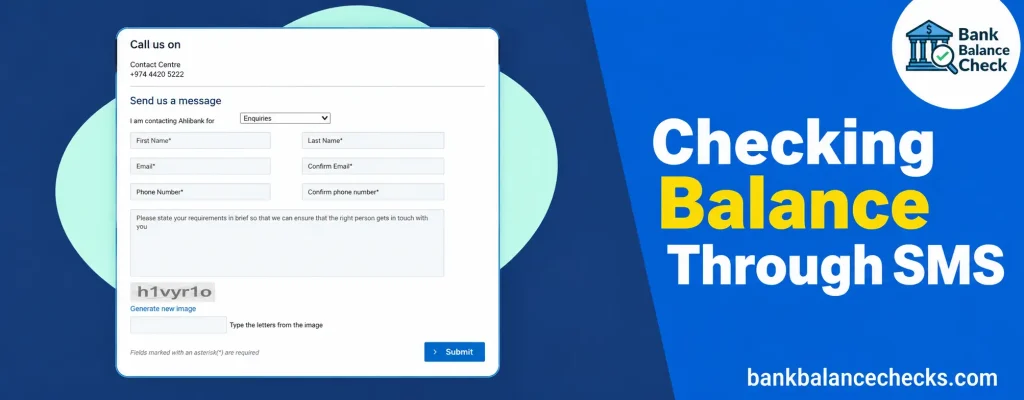
How to Register for SMS Banking If Available
Where the service exists, registration usually takes place through the app, a branch, or customer support using the registered phone number.
How to Use an Official SMS Balance Enquiry Service
If an official command exists, it must be copied exactly from the bank’s published instructions. Customers should never trust numbers received in unsolicited messages.
SMS Banking Charges, Limitations, and Security Precautions
SMS channels may carry network charges and show limited details. Messages asking for passwords or OTPs are fraud attempts, and Ahlibank Qatar account privacy depends on ignoring them.
How to Check Ahli Bank Balance Through Customer Service

Find the official Ahlibank Qatar customer service number on your bank card or Ahlibank official website. Avoid unverified numbers.

Call Ahlibank customer support, complete identity verification and request your account balance.
Verify your identity using approved security checks. Never share your PIN, password or OTP.

Call +974 4420 5222 from outside Qatar for 24/7 Ahlibank telephone banking assistance.

How to Check Ahli Bank Account Balance at a Branch
How to Locate the Nearest Ahlibank Qatar Branch
The official branch locator and map applications list addresses. Ahlibank account management staff can also assist with Ahlibank personal banking needs.
Documents Required for an In-Branch Balance Enquiry
A valid Qatar ID or passport is generally requested, and a debit card can speed up service. Ahli Bank account information access follows identity checks.
How to Request Balance Information From Bank Staff
Customers state the request at the counter, present identification, and receive a printout or a verbal answer. Staff may also help find Ahli Bank balance details and confirm Ahli Bank account funds.
Branch Opening Hours and Customer Service Considerations
Hours vary, so the bank’s current schedule should be checked. Early mornings and weekdays are generally quieter.
Ahli Bank Balance Check Without Internet
- ATM: Insert your Ahli Bank Qatar card, enter your PIN, and check your balance.
- Telephone Banking: Call Ahlibank customer support to check your balance without mobile data.
- Bank Branch: Visit your nearest Ahlibank Qatar branch for balance enquiries and account statements.
Comparing Offline Methods for Convenience and Accessibility
ATMs are fastest, phones are flexible, and branches are most thorough. Together, they cover nearly every Ahli Bank Qatar offline situation.
How to Check Ahli Bank Salary Account Balance in Qatar
How to Confirm Whether Your Salary Has Been Credited
A higher QAR account balance and a matching deposit entry confirm salary receipt. Amounts are displayed in the Qatari Riyal.
Checking Salary Deposits Through Mobile and Online Banking
The Ahli Bank Qatar mobile banking balance and online history list incoming transfers, and customers can access Ahlibank balance inquiry tools to confirm payroll.
How to Review Recent Salary Transactions
The account balance ledger records each credit. Ahli Bank available versus ledger balance differences explain why funds sometimes appear later.
What to Do If Your Salary Has Not Appeared in Your Account
Customers should wait for processing times, then contact the employer and the bank. Ahlibank account balance discrepancies should be reported with dates and amounts.
Which Method Is Best for Qatar Residents and Expatriates?
Residents benefit from the app and an ATM backup, while expatriates traveling often should prefer digital channels. Ahli check balance bank searches usually end with the app as the practical winner.
| Balance Check Method | Internet Required | Main Requirement |
|---|---|---|
| Mobile banking | Yes | Registered banking app |
| Internet banking | Yes | Online banking credentials |
| ATM | No | Debit card and PIN |
| Customer service | No | Identity verification |
| Bank branch | No | Accepted identification |
| SMS banking | No | Subject to service availability |
Common Ahli Bank Balance Check Problems and Solutions
Unable to Log In to Ahli Bank Mobile Banking
Checking credentials, updating the app, and testing the network usually help. Ahli Bank online banking troubleshooting steps are similar for the website.
Forgotten Internet Banking Username or Password
Ahli Bank banking password recovery typically uses a reset link or a one-time code to the registered number.
Account Balance Not Updating After a Transaction
Pending items can delay changes, so refreshing and waiting for settlement is wise.
Debit Card Not Working at an ATM
A blocked, expired, or damaged card may fail, so a new card or a branch visit may be needed.
Incorrect or Unavailable Account Balance
Compare the balance with the latest statement, then escalate with screenshots if differences remain.
When to Contact Ahlibank Qatar for Technical Assistance
Contact the bank when errors persist for more than one attempt, or when suspicious activity appears.
Tips for Managing Your Ahli Bank Account Balance Effectively
Check Your Account Balance Regularly
A weekly review keeps surprises away.
Understand the Difference Between Available and Current Balance
Available funds exclude holds, while current figures may include pending items.
Monitor Pending Transactions and Card Payments
Pending card payments reduce spendable funds.
Use Account Statements to Track Monthly Spending
Statements reveal patterns and recurring costs.
Maintain Sufficient Funds for Scheduled Payments
Keeping a buffer prevents failed standing orders.